My LifeVault is an Android app that lets you securely catalog your family's documents, passports, IDs, medical records and reminders. Your vault is stored and encrypted on your own device — we never host it, read it, or sell it.
My LifeVault is a mobile application for Android, published by VMH Digital, that acts as a private digital locker for a household's important paperwork and personal records. Families accumulate passports, national IDs, driving licences, insurance policies, school certificates, prescriptions and warranty receipts — usually scattered across drawers, phone galleries and chat apps. My LifeVault gives you one organised, encrypted place to keep all of it, and tells you before anything expires.
The purpose of the app is simple: help you find your family's documents and records in seconds, and never miss a renewal date — without handing your private paperwork to a company. Everything you add is written to encrypted storage inside the app's private area on your own phone. We operate no servers that hold your vault, so your documents are not uploaded to us and cannot be read by us.
Because your vault lives only on your phone, a lost or wiped device would mean losing your records. To protect against that, My LifeVault offers an optional backup feature: with your permission, the app can save and retrieve its own AES-256 encrypted backup file in your personal Google Drive, so you can restore your vault after changing or resetting your phone.
This is the only reason the app requests access to your Google Account. If you connect Drive, My LifeVault can only see and manage the backup files that My LifeVault itself created — it cannot browse, read, open or delete any of your other Google Drive files, photos, email or contacts. The backup is encrypted with your own password before it ever leaves the device, so its contents are unreadable to anyone without that password, including us and Google.
The feature is entirely opt-in: you can use every part of My LifeVault without ever signing in to a Google Account, and you can disconnect at any time from the app's Settings or at myaccount.google.com/permissions. Full details are in our Privacy Policy.
Everything your family needs — beautifully organised, private by design, and fully usable even with no internet connection.
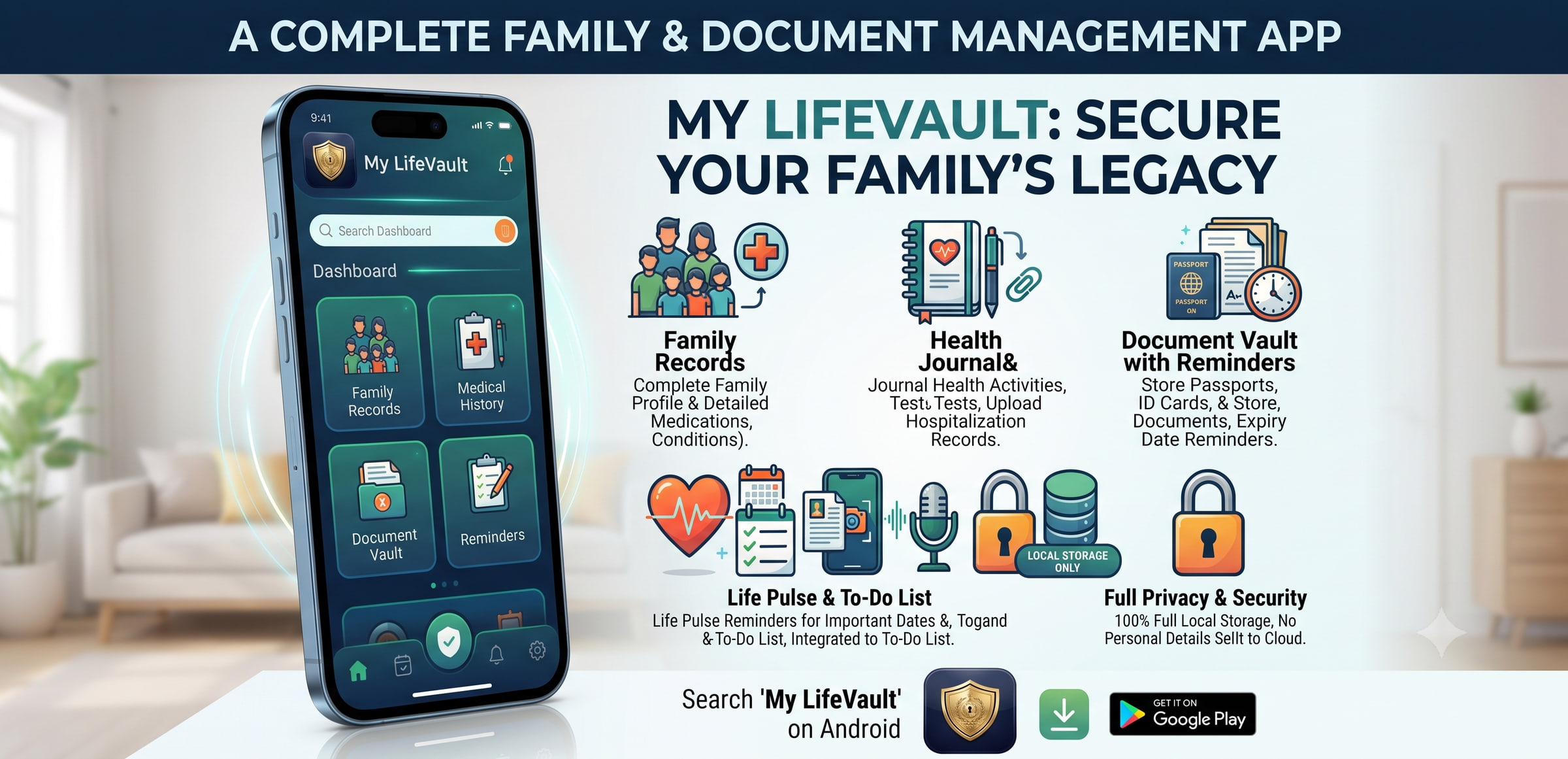
Every feature is built around one purpose: protecting your family's most important information without compromise.
Your vault is stored on your device, not on our servers — so there is no company database to breach, no login to lose, and no shutdown that can take your records away. Every feature works with the internet switched off.
Integrates with Android Face ID and Fingerprint credentials on startup to ensure nobody can access your private vault but you.
Catalog identities, relationships, physical sizes, medical details, health journal, and emergency contacts for every family member.
Receive smart local alerts for passport renewals, driver's licences, insurance expiries, or custom events — days before they occur.
Use the intelligent scanner to capture IDs, extract text using Google ML Kit, and automatically compile them into encrypted PDF files.
Export your vault as a password-protected AES-256 encrypted file. Keep it in a local folder, or optionally let the app store it in your own Google Drive so you can restore it on a new phone.
Log health activities, tests, hospitalisations, and generate shareable medical summary PDFs for any family member — in one tap.
Track document renewals, family errands, and action items with priority levels, categories, and due dates — fully offline and private.
Store account numbers, reference codes, personal memos, and sensitive information in a colour-coded, category-tagged secure notepad.
Three guarantees we make to every My LifeVault user — no exceptions.
VMH Digital runs no server that stores your vault. It stays on your device — and, if you choose backup, in your own Google Drive.
We cannot see, read, or access your documents, profiles, or vault content. Ever.
Your personal information is never shared, sold, or transferred to any third party.